Skip to content
Seed Up Gate

The game is currently available in Turkish only. Screenshots show the Turkish interface. An English interface is planned for the next update.

Seed Up Gate · An entrepreneurship education game

From idea to first invoice: entrepreneurship under real rules

Seed Up Gate is an entrepreneurship education game in Turkish, played under Turkey's official rules. It is developed with the support of Konya Teknokent, a technology park in Turkey.

It is intended for high school and university students, and for anyone thinking about starting their first business.

Early Access application How the game is played

The game holds 780 rules and amounts, each with its source on record. The Preview Version was shown at a trade fair on 3 November 2026.

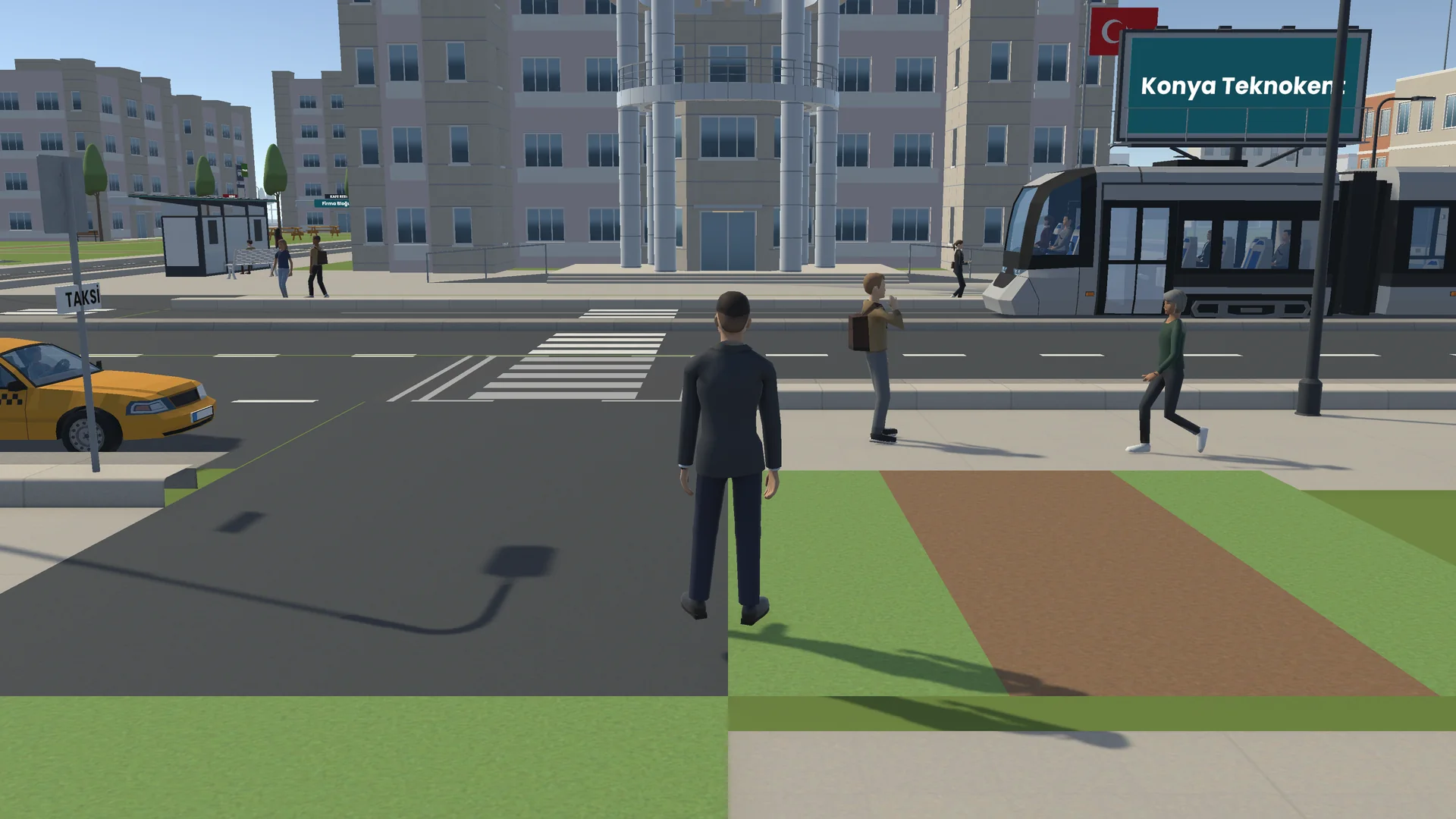
In-game screenshot: the player character in front of the Konya Teknokent building, with a tram on the road and a taxi stand on the left
In front of Konya Teknokent, with the tram, the taxi stand, and the Teknokent building.

How the game is played

The game has five stages. The first four take the player from an idea to a first sale. The fifth is running the business, and it lasts as long as the player wishes. The task panel at the top left of the screen shows the next step.

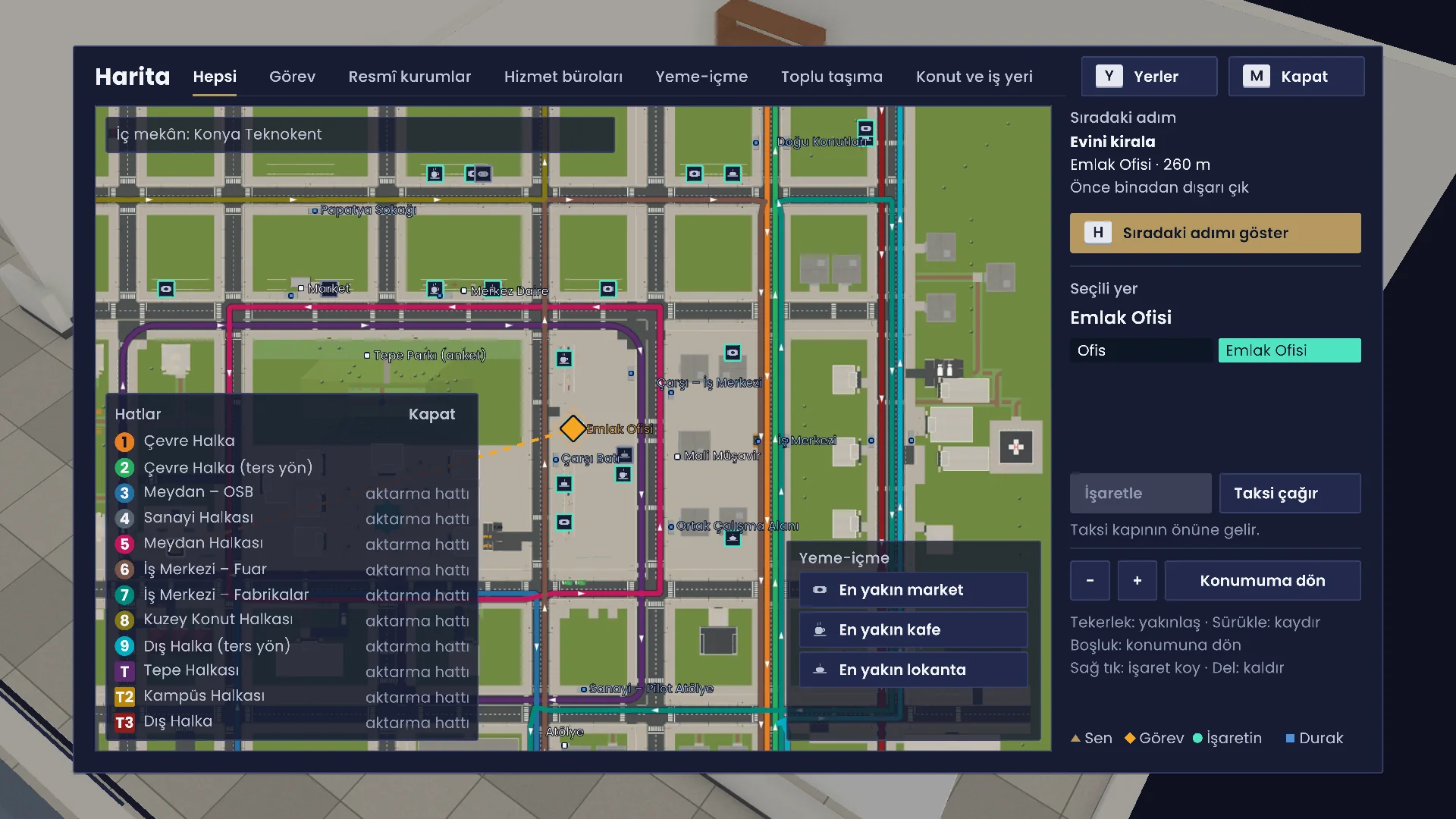
The game is played with a keyboard and mouse: the player walks with W A S D, uses doors and service counters with E, and opens the phone with T and the map with M.

Stagesselect one

Stage 1 of 5Applying to the technology park

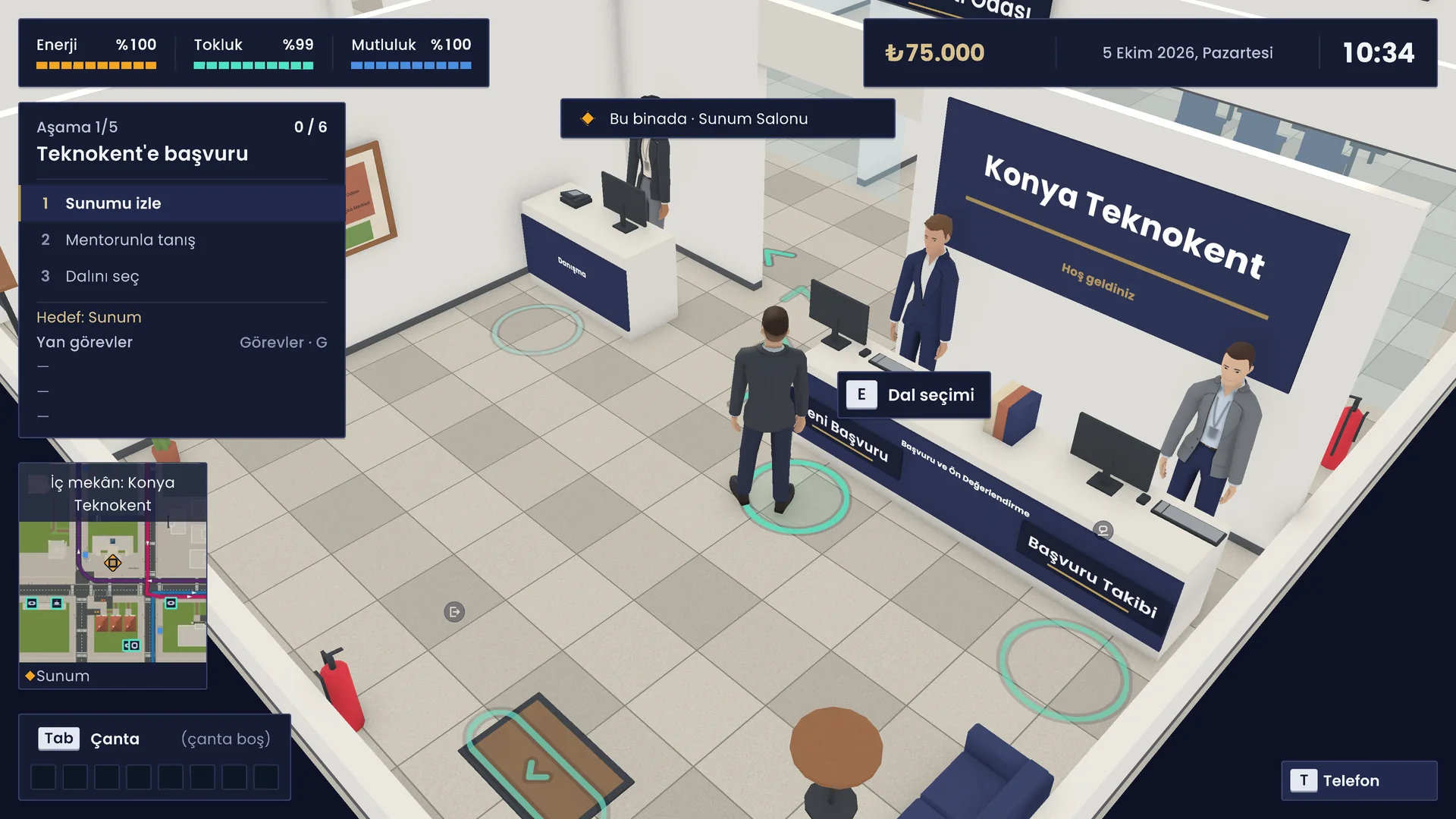
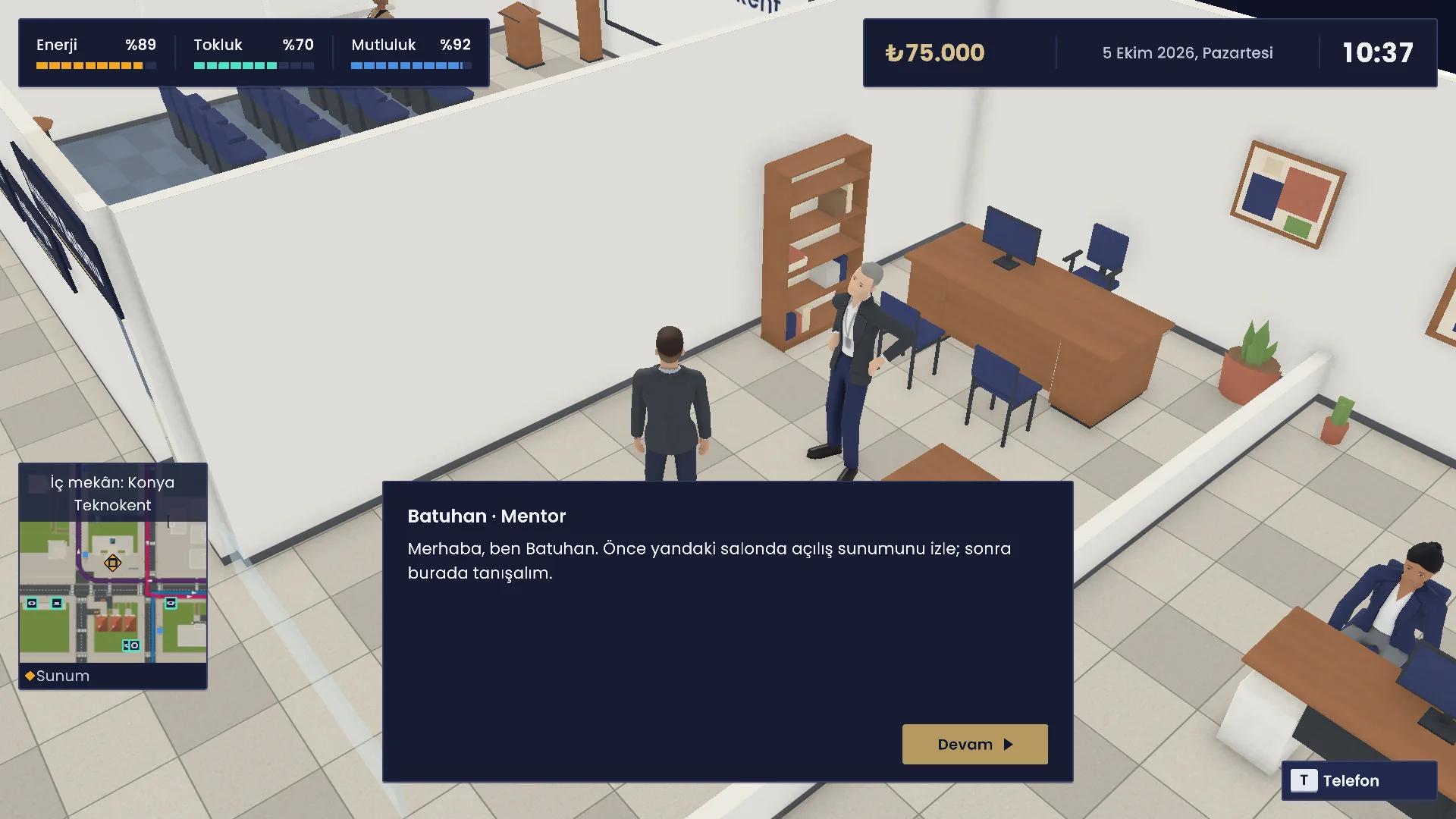
The game starts outside Konya Teknokent. A technology park (teknokent in Turkish) is a zone set up under Law No. 4691 for software and R&D companies. Inside, the player watches the opening presentation and meets the mentor, Batuhan. Batuhan explains how a real application is made. In the days that follow, the player can also message him from the phone.

At the New Applications Desk the player chooses a business area: Software / Technology, E-commerce, or Trades and Shops. The player then writes the name of the business and the idea in a single sentence.

Steps as written in the task panel

  • Sunumu izle (Watch the presentation)
  • Mentorunla tanış (Meet your mentor)
  • Dalını seç (Choose your business area)
  • Fikrini yaz (Write your idea)
The reception at Konya Teknokent: application desks and staff, with the task panel at the top left
The reception and application desks at Konya Teknokent.

Stage 2 of 5Canvas and report

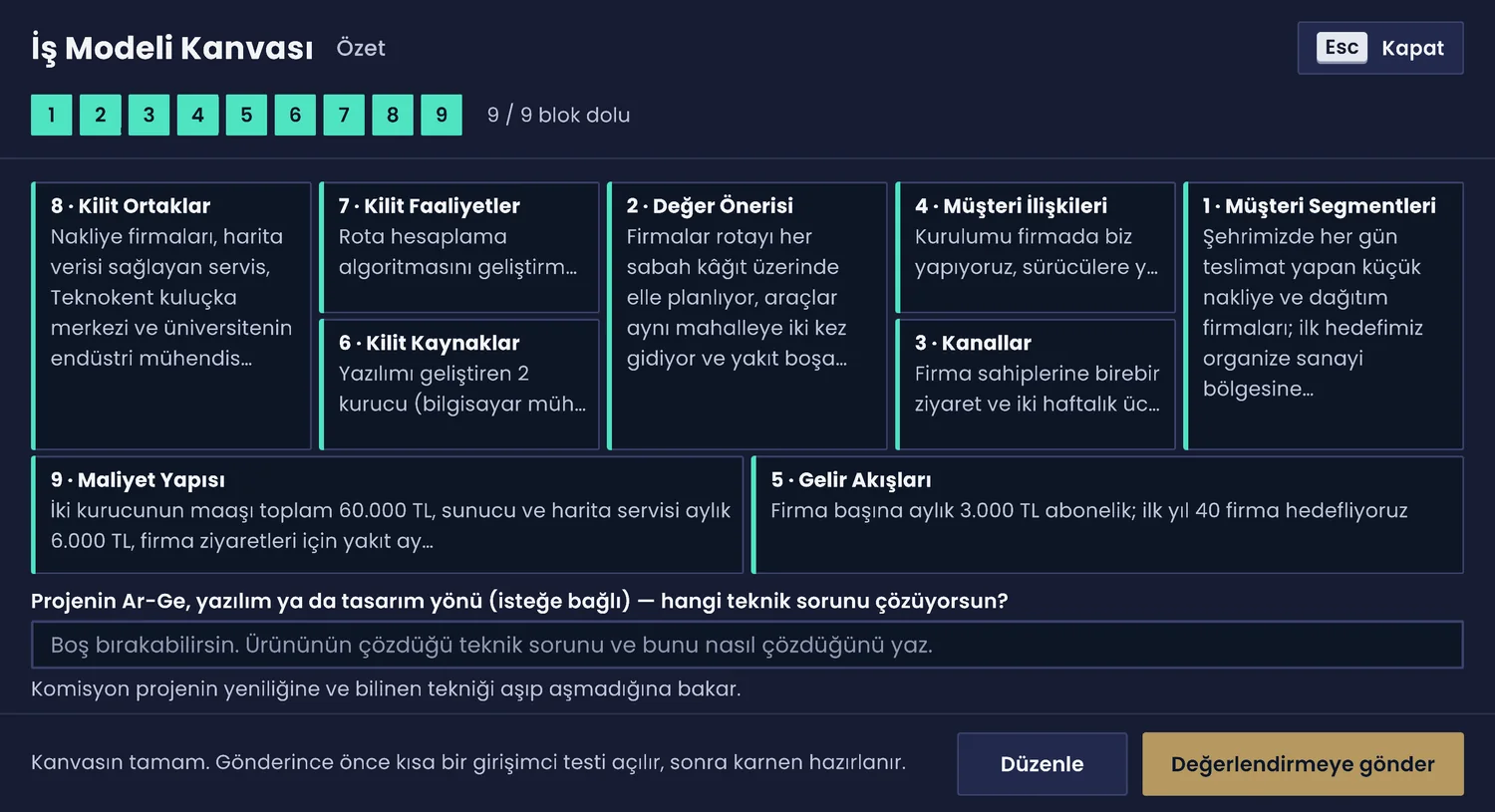
The player writes the idea into the nine blocks of the Business Model Canvas. Each block asks a question: who the product is sold to, which of the customer's problems it solves, where the money will come from. When the player cannot proceed on a block, an example that fits the idea is shown.

The first time the canvas is submitted, a short founder test of 15 questions opens. The player then receives the Teknokent pre-assessment report (karne). If the result is anything other than ACCEPTED, the “Yolunu Seç” (Choose Your Path) screen shows the routes outside the technology park.

Steps as written in the task panel

  • Kanvası doldur (Fill in the canvas)
  • Ön değerlendirmeni al (Get your pre-assessment)
  • Yol kartlarından birini seç (Choose one of the path cards)
Business Model Canvas summary: all nine blocks filled in, with the “Değerlendirmeye gönder” (Submit for assessment) button at the bottom
A canvas with all nine blocks filled in.

Stage 3 of 5Setting up the company

First the player rents a home. The player then tests the idea by asking people in the city about it. The answers depend on the customer described in the canvas.

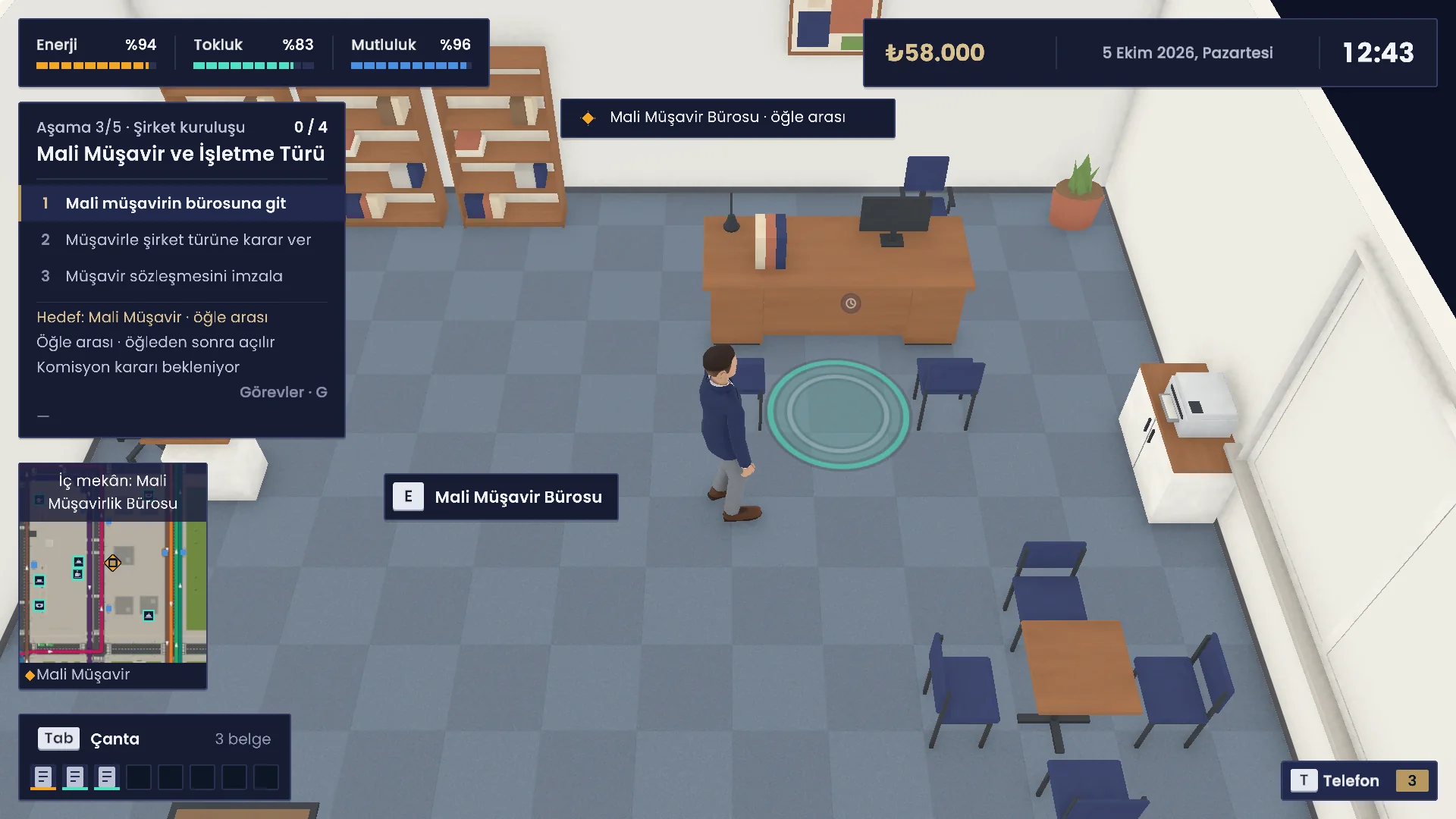
With a certified accountant (mali müşavir) the player chooses the type of business: sole proprietorship, limited liability company, or joint-stock company. The setup steps follow: the application, registration with the trade registry, the tax office site visit, and a bank account. The offices keep real working hours.

Steps as written in the task panel

  • Evini kirala (Rent your home)
  • Fikrini sahada test et (Test your idea on the street)
  • Mali müşavirin bürosuna git (Go to the accountant's office)
  • Müşavirle şirket türüne karar ver (Decide on the company type with the accountant)
  • Müşavir sözleşmesini imzala (Sign the contract with the accountant)
The Accountant's Office: the player inside the office, with the company setup steps in the task panel at the top left
The Accountant's Office. The task panel lists the setup steps.

Stage 4 of 5First sales week

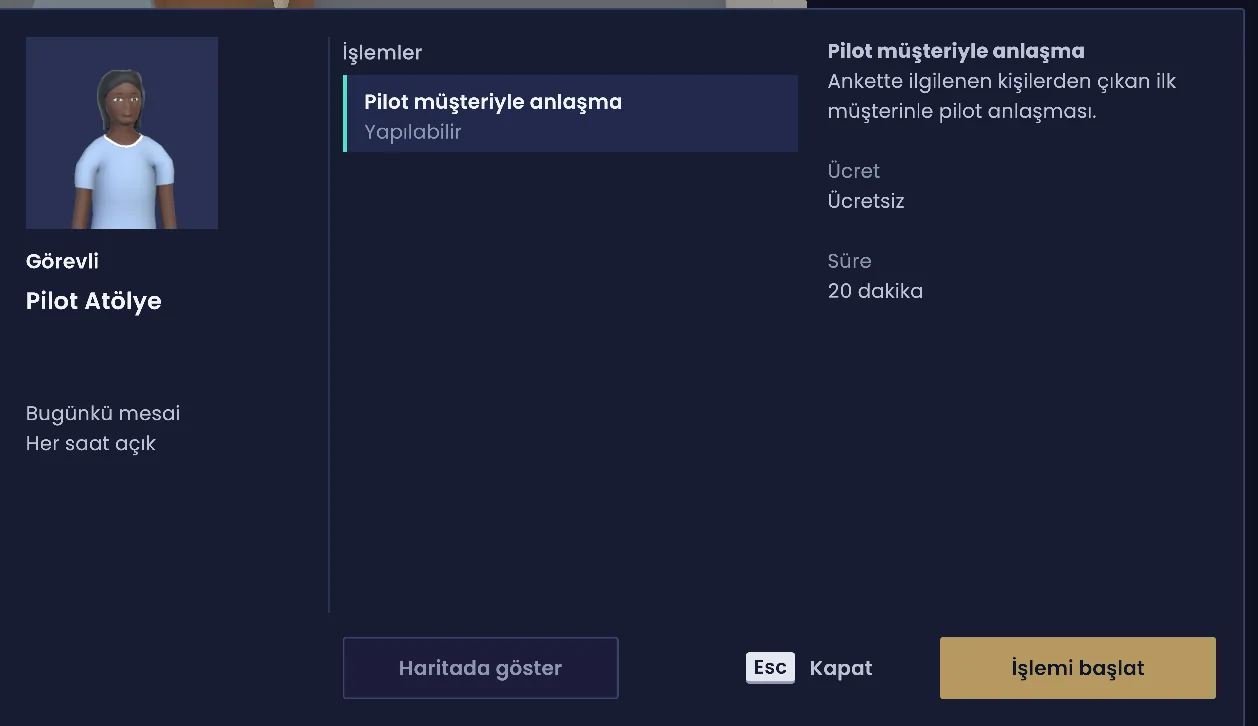
A person who expressed interest during the street survey becomes the player's first customer. The player makes a pilot agreement with this customer and issues the first invoice. A player with a company issues an e-Archive invoice, Turkey's electronic invoice for sales to customers outside the e-invoice system. A self-employed player issues a self-employment receipt.

The following week the player meets new customers. When that week ends, the stage of running the business begins.

Steps as written in the task panel

  • Pilot müşterinle görüş (Meet your pilot customer)
  • Pilot anlaşmasını yap (Make the pilot agreement)
  • İlk faturanı kes (Send your first invoice)
Transaction window at the Pilot Workshop: agreement with the pilot customer
The pilot agreement window at the Pilot Workshop.

Stage 5 of 5Running the business

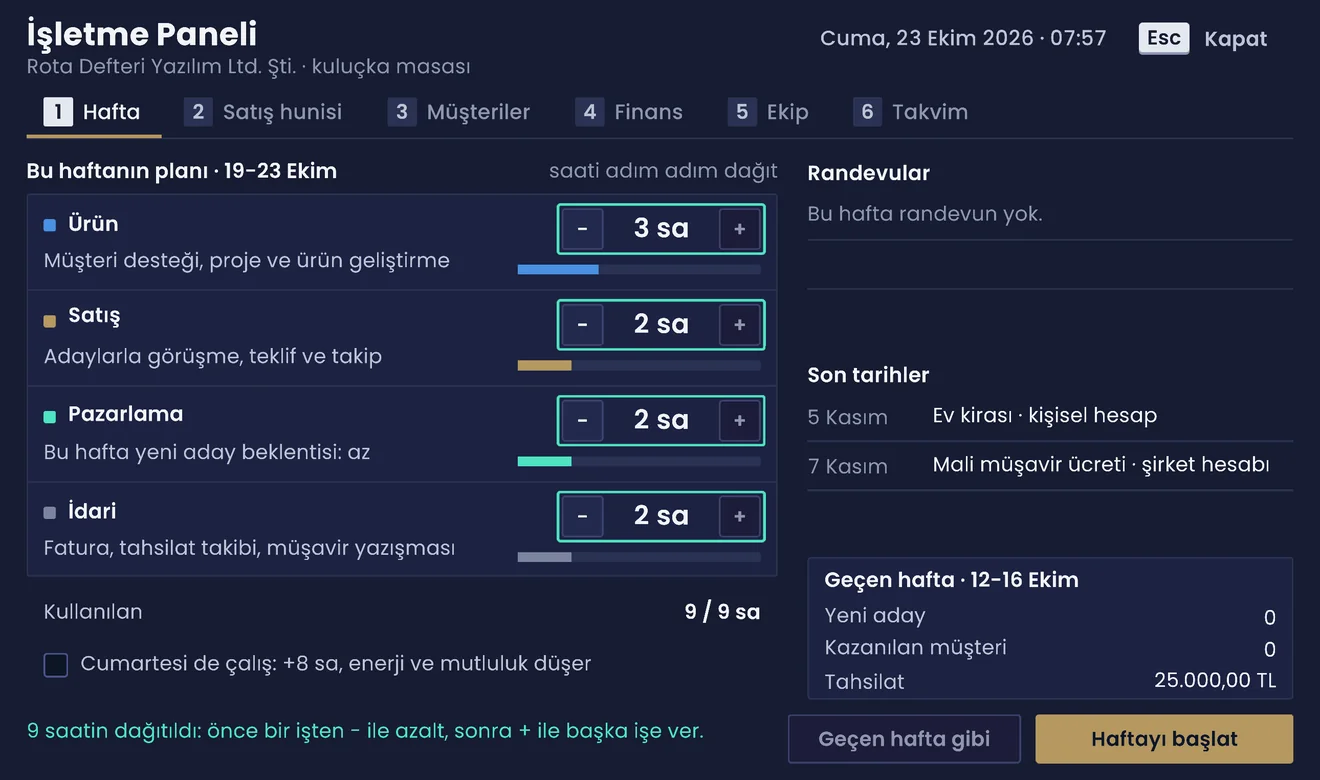
This stage has no fixed end. Every Monday the player divides the week's hours among four kinds of work: Product, Sales, Marketing, and Admin. An hour given to one is taken from the others.

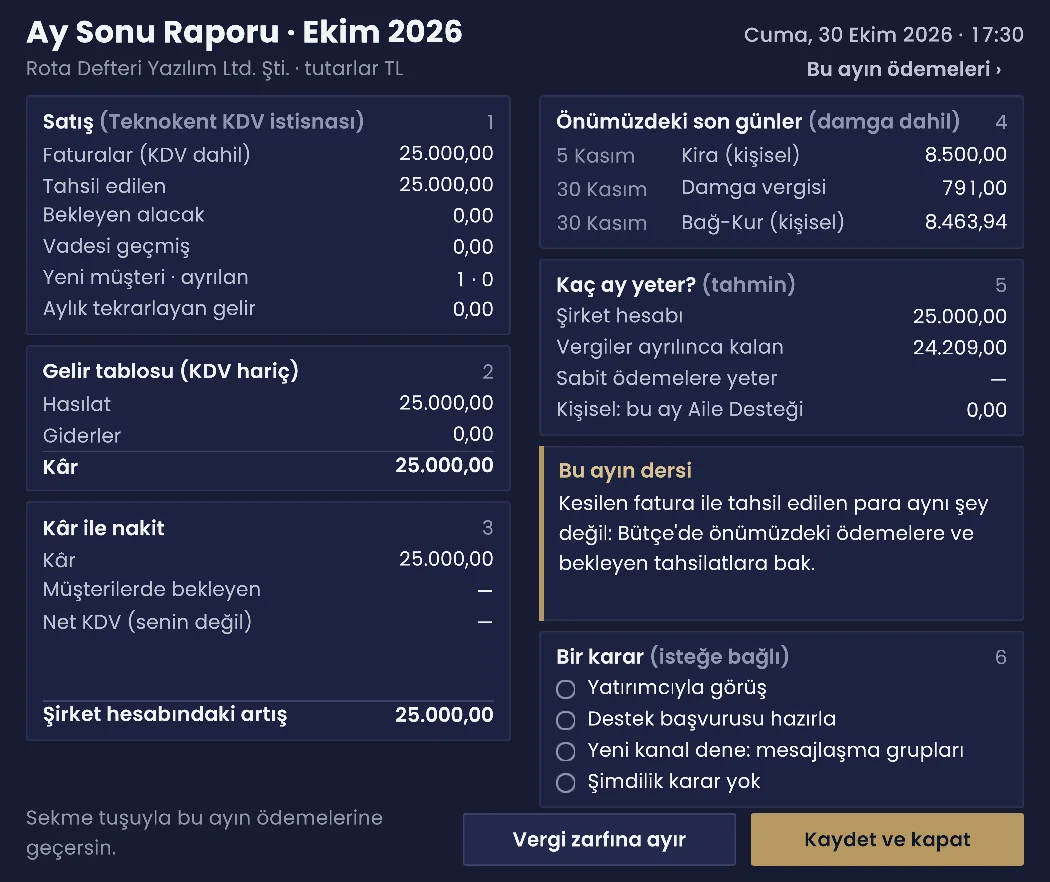
The player finds customers, makes offers, and negotiates when necessary. Payment for an issued invoice is collected on its due date. At the end of the month a report shows what was sold, how much cash remains, and how many months that cash will last.

Tabs in the Business Panel

  • Hafta (Week)
  • Satış hunisi (Sales pipeline)
  • Müşteriler (Customers)
  • Finans (Finance)
  • Ekip (Team)
  • Takvim (Calendar)
Business Panel, Week tab: the week's hours split across four kinds of work, with deadlines on the right
The weekly plan in the Business Panel.

The report

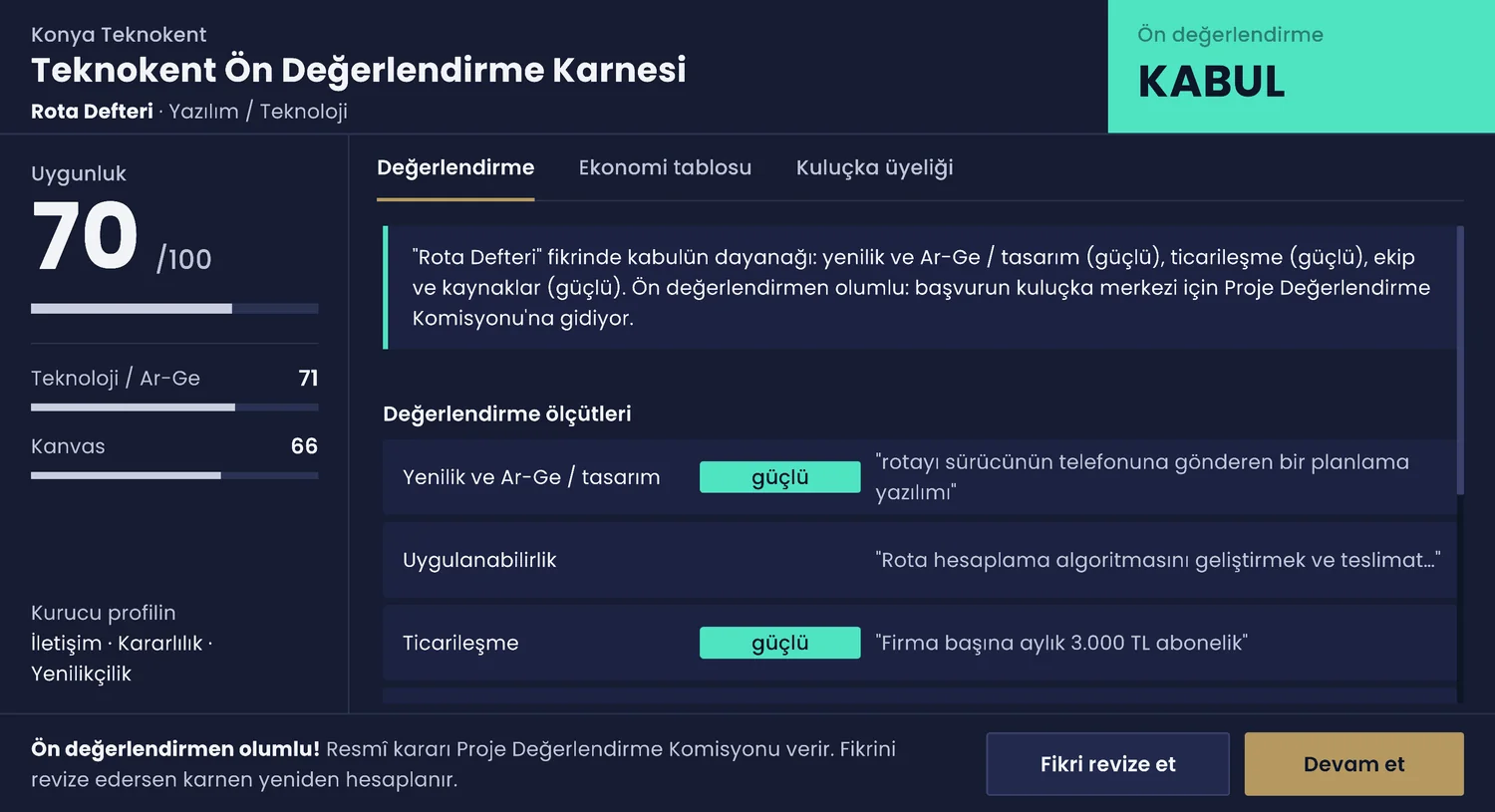
Teknokent Pre-Assessment Report

When the canvas is submitted, the assessment engine built into the game reads what the player wrote and prepares the report. The report gives a result, an eligibility score, and the reasons for the decision. Next to each criterion is a sentence quoted from the player's own canvas.

The assessment runs on the player's computer. The same canvas submitted twice receives the same report.

KABUL

ACCEPTED. The application goes to the Project Evaluation Committee.

ŞARTLI

CONDITIONAL. The technical side or the business model is incomplete. The report states which.

UYGUN DEĞİL

NOT ELIGIBLE. The idea shows no software or R&D product.

DEĞERLENDİRİLEMEDİ

NOT ASSESSED. The text is empty or is not a business idea.

In-game screenshot (Turkish interface) · a sample report. The image enlarges when clicked.
Teknokent Pre-Assessment Report: KABUL (ACCEPTED) at the top right, the eligibility score on the left, the reasons and the assessment criteria in the middle

How the assessment engine works The report is a pre-assessment. In a real application the decision is made by the technology park's Project Evaluation Committee.

What is real in the game

The amounts, time limits, and rates in the game are taken from Turkish law. Five examples follow. When an information card is opened in the game, a “Kaynak:” (Source:) line appears at the bottom.

Some waiting times are shortened to keep the game moving. For example, one real second counts as one minute in the game. Nothing in the game is legal or financial advice.

RuleSource
To be accepted into a technology park, an idea must involve software or R&D.In the game: opening presentation, the report
A rental deposit can be at most three months' rent.In the game: Real Estate Office
A limited liability company's capital is paid within 24 months of registration.In the game: the accountant
An invoice is issued no later than 7 days after the day the work is done.In the game: first sale, Business Panel
Sales of software produced in a technology park are exempt from VAT until 31 December 2028.In the game: e-Archive invoice

Early Access

Version 0.0 · 19 November 2026

All five stages are playable. Development continues, and new content is delivered in updates.

Early Access is granted on application. Applications may be sent to info@seedupgate.com. Following your application, the installation package and an activation code are sent to you by email. Schools and institutions receive a single-file institution license. The terms are stated in the reply.

Recommended computer: Windows 10 or Windows 11 (64-bit) · 8 GB of memory · a graphics card with DirectX 12 support · 1.3 GB of available disk space

  1. ApplicationThe application states whether it is individual or on behalf of an institution, and the number of computers.
  2. Installation packageThe package is sent by email.
  3. InstallationA computer code is shown on first launch. The applicant sends this code by email, together with first and last name.
  4. Activation codePlay begins once the code is entered. Applications are answered within two business days.

Early Access application System requirements

Latest release

Version 0.0 · 19 November 2026

  • Buildings, streets, and interiors made by our team have been added to the city.
  • The assessment engine has been improved.

Release notes

Questions

For questions, you may consult the frequently asked questions page first. If the answer is not there, our team can be reached through the Contact page.

Frequently asked questions

Contact